If you've spent any time browsing for your next read, chances are you've bumped into Kindle Unlimited. It promises an endless buffet of books, audiobooks, and magazines for a flat monthly fee. Sounds great, right? And for many casual readers, it absolutely is. But what if you're looking for something more? Or perhaps something different? You’re not alone. Many readers, from dedicated students to busy professionals and avid generalists, often seek out Kindle Unlimited alternatives & comparisons to find a service that truly fits their unique reading habits and goals.
This isn't about ditching Kindle Unlimited outright. It's about understanding its strengths and limitations, and then exploring a world of other platforms designed for specific needs – be it deep academic research, collaborative note-taking, a broader selection of bestsellers, or simply a free way to access digital content. Let's dig in and find your perfect digital reading companion.
At a Glance: Key Takeaways
- Kindle Unlimited (KU) is great for casual reading, self-published titles, and device accessibility, but it often lacks bestsellers and advanced features for productivity.
- General Reading Alternatives like Scribd, Kobo Plus, and Project Gutenberg offer diverse catalogs, subscription models, or free access to classics.
- Academic & Professional Power User Alternatives like Doc Genie, Perlego, OverDrive/Libby, PocketBook Cloud, Notion, and Evernote cater to deep annotation, research, collaboration, and specific content types.
- Choosing Your Fit depends on your primary goals: leisure reading, academic study, professional research, or extensive note-taking and workflow integration.
- Free Options Exist: Don't overlook your local library via OverDrive/Libby, or classics from Project Gutenberg.
Kindle Unlimited: The Good, The Gaps
Before we explore the alternatives, it's helpful to understand what Kindle Unlimited brings to the table and where it might fall short for you.
The Allure of Amazon's Offering:
Kindle Unlimited boasts a colossal catalog of over five million titles, encompassing ebooks, audiobooks, comics, and magazines. For a single monthly subscription, you get unlimited access, no due dates, and the convenience of reading across various devices – your Kindle e-reader, phone, tablet, or computer. It's fantastic for discovering new authors, indulging in specific genres (especially romance, fantasy, and sci-fi), and dipping into audiobooks without extra cost. It truly shines for readers who consume a high volume of content and prefer self-published or Amazon-exclusive titles.
Where Kindle Unlimited Can Feel Limited:
However, KU isn't a panacea for all reading needs. Its catalog heavily favors self-published works and titles from smaller presses, meaning you might not find the latest bestsellers from major publishers. For those focused on academic research or professional development, the selection can be sparse. Furthermore, its built-in note-taking and annotation tools are quite basic, lacking the robust features required for deep engagement, collaboration, or integration into a wider knowledge management workflow. If you're a student, researcher, or professional who needs to do more than just read – you need to work with the text – KU might feel restrictive.
This is where the world of Kindle Unlimited alternatives comes into play. They fill these gaps, often specializing in specific content types, user experiences, or advanced features.
General Reading Alternatives: Broader Horizons Beyond KU
If your primary goal is simply "more books to read," but you're not finding what you need on Kindle Unlimited, these platforms offer compelling content libraries with varying focuses.
Scribd: The "Netflix for Books" Experience
Scribd often gets dubbed the "Netflix for books" due to its extensive and diverse digital library. For a monthly fee similar to KU, you unlock unlimited books, audiobooks, magazines, podcasts, and even academic documents.
- Why Readers Love It: Scribd's catalog truly stands out for its breadth, including bestsellers from major publishers, a robust selection of audiobooks (often a highlight for users), indie titles, and even textbooks. Its app is intuitive on iOS, Android, and web, offering offline access and straightforward note-taking/highlighting that syncs across devices. It's a fantastic all-rounder for general readers who value variety and a strong audiobook selection.
- Key Considerations: The "unlimited" access can sometimes have a hidden cap. While you always have access to a vast library, popular titles might occasionally become "unavailable" for a short period if you've been reading a lot, due to licensing agreements. Content also rotates monthly.
- Best For: Students, researchers, and general readers seeking a highly diverse catalog, especially for audiobooks and a mix of popular and niche content.
Kobo Plus: Rakuten's Answer to Unlimited Reading
Kobo, a major player in the e-reader market, offers Kobo Plus (available in select regions like Canada, Netherlands, Belgium, France, Italy, Portugal, and Australia). It's a direct competitor to Kindle Unlimited, offering unlimited ebooks and, in some regions, audiobooks for a monthly subscription.
- Why Readers Love It: Kobo Plus often features titles from different publishers than KU, potentially offering a fresh selection. If you own a Kobo e-reader, the integration is seamless, providing a very comfortable reading experience.
- Key Considerations: Availability is geographically limited, and its catalog, while growing, might not be as massive as KU's or as diverse as Scribd's, particularly for audiobooks in all regions.
- Best For: Readers in supported regions who own a Kobo e-reader or prefer to support a different ecosystem.
Bookmate & 24symbols: International Flavors
These two services operate on a similar unlimited reading model, focusing on ebooks and sometimes audiobooks. They often have a strong international presence and a good selection of titles in various languages.
- Why Readers Love Them: They can be excellent options for finding books in non-English languages or discovering indie authors not widely available elsewhere.
- Key Considerations: Their English language catalog might not be as extensive as the larger players, and user interfaces can vary.
- Best For: Multilingual readers, those looking for niche international content, or specific genre enthusiasts.
Project Gutenberg: The Original Free Library
Dating back to 1971, Project Gutenberg is the granddaddy of free digital libraries. It offers over 60,000 classic titles whose copyrights have expired, meaning you can access them entirely for free.
- Why Readers Love It: It's absolutely free! You can access books directly in your browser or download them in EPUB, Kindle, and other formats. It’s an invaluable resource for classic literature, historical documents, and foundational texts. No subscriptions, no ads, just pure reading.
- Key Considerations: The content is limited to older works. You won't find modern bestsellers or contemporary non-fiction. The interface is functional but basic.
- Best For: Anyone looking for free access to classic literature, students studying historical texts, or readers on a budget.
ComiXology Unlimited & Epic!: Niche Reading
- ComiXology Unlimited: If graphic novels and comics are your passion, ComiXology Unlimited (an Amazon subsidiary) offers a rotating selection of digital comics for a monthly fee. While it has some overlap with KU, its focus is purely visual storytelling.
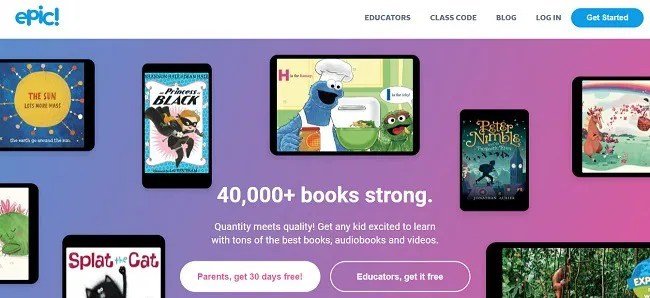
- Epic!: For the younger demographic, Epic! provides unlimited access to thousands of children's books, audiobooks, and learning videos, making reading fun and engaging for kids aged 12 and under.
- Best For: Dedicated comic book fans (ComiXology) or families with young children (Epic!).
Alternatives for Academics, Professionals, & Power Users: Beyond Basic Reading
This category is for those who don't just read; they analyze, annotate, synthesize, and collaborate. These platforms offer advanced features that go far beyond what Kindle Unlimited provides for productivity.
1. Doc Genie (for Kindle Scribe Users): Unleashing Your Digital Notebook
For Kindle Scribe owners, Doc Genie is a game-changer. It directly addresses the Scribe's potential for deep annotation and workflow integration, transforming it from a simple e-reader into a dynamic hub for knowledge management.
- Why Power Users Need It: Doc Genie overcomes the Scribe's native limitations by providing one-click cloud sync (Google Drive, Dropbox, OneDrive), secure note sharing with granular permissions, and a powerful web-to-PDF conversion tool via a Chrome extension. This means you can send articles directly from your browser to your Scribe, annotate them deeply, and then easily share those annotations or back them up. Scheduled syncs ensure your work is always protected.
- Key Features That Shine:
- Cloud Sync & Backup: Seamless integration with major cloud services, with scheduled backups.
- Secure Note Sharing: Share specific notes or entire documents with control over permissions.
- Web-to-PDF Conversion: Turn web articles into Scribe-friendly PDFs for distraction-free annotation.
- Enhanced Annotation Workflow: Your Scribe becomes a truly dynamic tool for active reading and note-taking.
- Plans & Considerations: Doc Genie offers a free plan for basic needs and a Pro plan for unlimited cloud storage, automation features, and encrypted team sharing. It's purpose-built for the Kindle Scribe, so if you don't own one, it won't be relevant.
- Best For: Kindle Scribe owners, academics, researchers, and professionals who need advanced annotation, seamless cloud integration, and secure sharing of their handwritten notes and document markups.
2. OverDrive / Libby: Your Library, Digitized and Free
The ultimate "free" alternative, OverDrive (and its user-friendly app, Libby) connects you to your local public library's digital collection. All you need is a library card.
- Why Researchers & Students Love It: Free access to ebooks, audiobooks, magazines, and even scholarly materials. The catalog includes bestsellers, classics, textbooks, and children’s books. In the US, it even offers Kindle integration for many titles, allowing you to send borrowed books directly to your Kindle e-reader.
- Seamless Process: Sign in with your library card, browse, borrow, and read. Titles are automatically returned, so no late fees!
- Key Considerations: Popular titles often have waiting lists, and borrowing limits vary by library. Kindle integration is primarily a US feature. The selection is dependent on what your local library has purchased.
- Best For: Budget-conscious students, researchers, and general readers who prioritize cost-free access to a wide range of academic resources and popular reading material.
3. Perlego: The Academic Powerhouse
Perlego is a subscription service specifically designed for academic learning, often referred to as "Spotify for textbooks." It's a game-changer for students and educators.
- Why Academics Need It: It offers over one million titles from leading academic publishers, covering textbooks, peer-reviewed articles, and specialist non-fiction across nearly every subject imaginable. For a subscription that's a fraction of the cost of buying individual textbooks, you get unlimited access.
- Integrated Study Tools: Perlego includes in-app note-taking, highlighting, and essential citation tools (APA, MLA, Chicago), all synced across devices. This allows for an active reading and research workflow directly within the platform.
- Key Considerations: Its content is highly specialized; you won't find the latest romance novel here. The subscription cost, while economical for textbook access, is dedicated solely to academic resources.
- Best For: University students, researchers, and educators who require constant access to up-to-date academic materials and robust study tools without breaking the bank on individual textbook purchases.
4. PocketBook Cloud: PDF and Annotated Ebook Management
For those who regularly work with large volumes of PDFs, technical documents, or highly annotated ebooks, PocketBook Cloud offers a robust, multi-device syncing solution.
- Why Professionals Choose It: It excels at seamlessly syncing PDFs and annotated ebooks across a range of devices – from PocketBook e-readers to tablets, smartphones, and desktops. Its annotation tools are powerful, allowing you to highlight, comment, bookmark, and even draw directly on documents, with all changes automatically synced to the cloud.
- Security and Control: Offers reliable cloud backup and user-controlled secure sharing, which is crucial for sensitive professional documents.
- Key Considerations: It’s primarily focused on document management and annotation rather than providing a content library. Its full benefits are realized when used with PocketBook e-readers, though it supports other devices.
- Best For: Professionals (e.g., legal, engineering, business consultants) who heavily rely on annotating, managing, and securely sharing large volumes of PDFs and technical documents across various devices.
5. Notion: Your Customizable Knowledge Workspace
While not a direct ebook provider, Notion is an incredibly powerful, dynamic workspace for knowledge management and active learning, making it a stellar complement to any reading platform.
- Why Knowledge Workers Integrate It: Notion allows you to import and organize web articles, PDFs, and even your book highlights (often via integrations with tools like Readwise or directly from Kindle). You can create custom reading lists, tag content, embed media, and build intricate databases for your research. It transforms passive reading into active knowledge creation.
- Collaboration & Automation: Share pages, build collaborative research databases, assign tasks, and comment on shared content, making it ideal for team projects. Templates allow for automated book tracking, literature reviews, and project management.
- Key Considerations: Notion does not provide direct access to ebooks or audiobooks; you must import your content. It also has a learning curve due to its high customizability, requiring some setup to get started.
- Best For: Users who want to actively engage with their reading by highlighting, annotating, collaborating, and connecting knowledge across various projects and ideas. It's perfect for building a personalized "second brain" around your reading.
6. Evernote: The Digital Archivist's Companion
Evernote has long been a go-to for advanced note organization and research management, serving as a comprehensive digital archive for diverse information.
- Why Researchers & Writers Rely On It: Its core strength lies in capturing and organizing information from virtually anywhere. Key features include powerful Optical Character Recognition (OCR), allowing you to search for text within images and scanned documents. Robust tagging and notebook systems make complex information easy to structure and retrieve. The Web Clipper extension is invaluable for saving web articles (cleanly, without ads) for later reading and annotation.
- Seamless Access: Everything you capture, from notes to highlights and web clippings, syncs seamlessly across all your devices.
- Key Considerations: While excellent for capturing and organizing, its direct annotation tools on PDFs/ebooks are less sophisticated than dedicated platforms. Its pricing model can be a factor for heavy users.
- Best For: Writers, content creators, academics, and researchers who need a powerful, long-term solution to capture, structure, and retrieve complex information from a multitude of sources.
Choosing Your Digital Reading Ecosystem: A Decision Framework
With so many excellent Kindle Unlimited alternatives, how do you decide which is right for you? It boils down to understanding your priorities. Ask yourself these key questions:
- What's Your Primary Reading Goal?
- Leisure & Discovery? If you just want a constant stream of new stories, especially self-published or specific genres, Kindle Unlimited itself, Scribd, or Kobo Plus are strong contenders.
- Academic & Research? For textbooks, scholarly articles, and deep study tools, Perlego, OverDrive/Libby, and using Notion as a companion are invaluable.
- Professional Development & Document Management? If you're annotating contracts, technical manuals, or client reports, Doc Genie (for Scribe users), PocketBook Cloud, Evernote, and Notion shine.
- What Content Matters Most to You?
- Bestsellers & Popular Titles? Scribd or OverDrive/Libby (though with potential waitlists) often have better access than KU.
- Classics (Free)? Project Gutenberg is your answer.
- Specific Niche (Comics, Kids)? ComiXology Unlimited or Epic!
- Audiobooks? Scribd is particularly strong here, alongside OverDrive/Libby.
- Academic Textbooks? Perlego is unmatched.
- How Important Are Advanced Features?
- Deep Annotation & Collaboration? Doc Genie (Scribe), Perlego, Notion, and PocketBook Cloud offer robust tools.
- Cloud Sync & Backup? Doc Genie and PocketBook Cloud are designed for this.
- Web Clipping & Research Organization? Evernote and Notion are champions.
- Citation Tools? Perlego is built for academics.
- What's Your Budget?
- Free? OverDrive/Libby (with library card) and Project Gutenberg.
- Subscription (Affordable)? Kindle Unlimited, Scribd, Kobo Plus, Perlego offer different value propositions.
- Premium Tools? Doc Genie Pro, Notion, and Evernote have paid tiers for advanced features.
- What Devices Do You Use?
- Kindle e-reader: KU is native, but OverDrive/Libby (US) also integrates. Doc Genie supercharges your Scribe.
- Kobo e-reader: Kobo Plus offers seamless integration.
- Tablets/Phones: Most services offer excellent apps (Scribd, OverDrive/Libby, Notion, Evernote).
- Desktop/Web: All services have web interfaces or desktop apps.
Don't feel pressured to pick just one. Many power users combine services – perhaps using OverDrive/Libby for popular fiction, Perlego for academic texts, and Notion or Evernote to organize all their highlights and research.
Common Questions About Digital Reading Subscriptions
Here are quick answers to some frequent queries about these services.
Q: Can I use these alternatives on my Kindle e-reader?
A: It depends on the service. Kindle Unlimited is native to Kindle. OverDrive/Libby (in the US) allows you to send most borrowed ebooks directly to your Kindle. Other services like Scribd typically require their own apps on Kindle Fire tablets or smartphones, but not on dedicated Kindle e-ink readers. For advanced interaction on Kindle Scribe, Doc Genie integrates directly.
Q: Are bestsellers really hard to find on Kindle Unlimited?
A: Yes, generally. Kindle Unlimited's catalog emphasizes self-published and indie authors, along with Amazon-owned imprints. While you'll find some popular titles, the latest blockbusters from major publishers are often exclusive to other services or standard purchase.
Q: Is "unlimited" truly unlimited on services like Scribd?
A: For most users, it feels unlimited. However, Scribd (and some other platforms) may occasionally implement temporary restrictions on access to very popular titles if you're consuming an exceptionally high volume, due to publisher licensing agreements. They usually rotate their catalog, ensuring a fresh supply of new reads.
Q: Are there free trials available for these services?
A: Absolutely! Most subscription services mentioned (Scribd, Kobo Plus, Perlego, Doc Genie Pro, Notion, Evernote) offer free trials. This is the best way to test out a platform and see if it fits your reading and workflow needs before committing to a subscription.
Finding Your Perfect Digital Reading Companion
The digital reading landscape is vast and constantly evolving. While Kindle Unlimited offers convenience and an extensive library for casual consumption, it's far from the only game in town. By comparing its strengths with the specialized offerings of alternatives like Doc Genie for the Kindle Scribe, the academic prowess of Perlego, the vast library of Scribd, or the free access provided by OverDrive/Libby, you can make an informed choice that aligns perfectly with your specific reading habits and professional requirements.
Take advantage of free trials, consider your budget, and most importantly, think about how you read and what you do with the information you consume. Whether you're a student drowning in textbooks, a professional managing critical documents, or simply an avid reader seeking new worlds, there's a digital reading solution out there waiting to enhance your experience. Happy reading!